Robotic Pool Cleaners
How to Store Your Robotic Pool Cleaner Cable This Winter
18 June, 2026
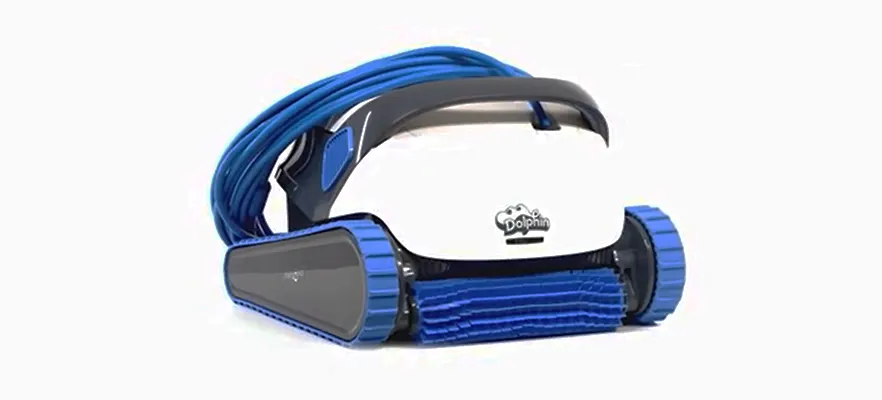
To store a corded robotic pool cleaner cable over winter: remove the cleaner from the pool without pulling by the cable, rinse with fresh water, allow to dry completely in the shade, coil loosely without kinks, store on a caddy, and keep in a cool, dry location such as a garage or pool shed.
As winter arrives across Australia, many pool owners prepare their equipment for the cooler months. While most people remember to clean their pool cleaner before storage, the cable is often overlooked.
Improper cable storage leads to tangles, twists, and cracks that can affect performance and shorten the life of your cleaner. Whether you own a Dolphin robotic pool cleaner or another automatic pool vacuum, taking care of the cable during winter helps protect your investment and keeps the cleaner ready for spring.
A well-maintained cable also helps your robotic pool cleaner perform more efficiently, reducing strain on the motor and improving movement around the pool.
Why Proper Pool Cleaner Cable Storage Matters
The floating cable on a robotic pool cleaner does more than carry power. It also supports communication between the cleaner and the power supply. Damage to the cable can cause interruptions, poor cleaning performance, or complete failure of the unit.
During winter, cold weather, moisture, and poor storage habits can all shorten the cable's lifespan. Leaving it tangled or twisted can cause damage, and prolonged sun exposure can deteriorate the outer coating over time.
If you want your robotic pool cleaner ready for the next swimming season, proper cable care is essential.
Step-by-Step Guide: How to Store Your Pool Cleaner Cable This Winter
Step 1: Remove the Robot Cleaner from the Pool
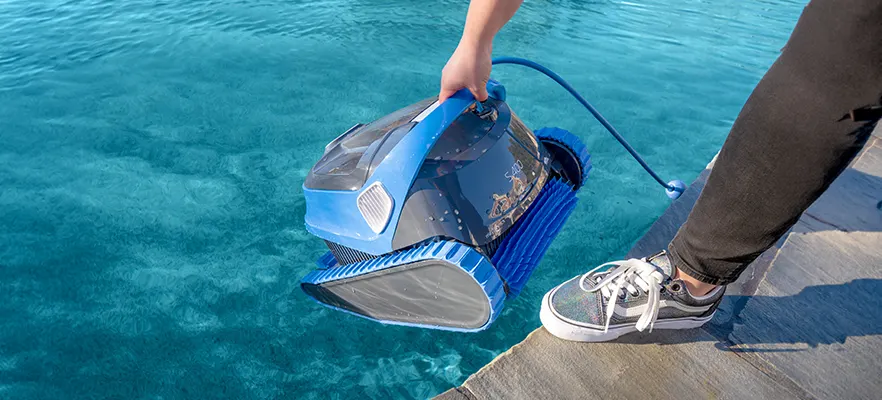
Before storing your robot pool cleaner, remove it from the water and disconnect it from the power supply.
Avoid pulling the cleaner out using the cable. Use the handle on the cleaner body instead. Repeatedly, pulling the cable places unnecessary stress on the connection points and can cause internal damage over time.
Once removed, rinse the entire cleaner and cable thoroughly with fresh water to remove chlorine, salt, and debris. This step is especially important for pools using mineral systems or salt chlorination.
Step 2: Let the Pool Cleaner Cable Dry Completely
Before winding the cable for storage, allow it to dry fully in a shaded area. Never coil a wet cable and put it straight into storage. Trapped moisture can encourage mould growth and may eventually affect cable connections.
A dry cable is much easier to manage and helps keep your robotic pool cleaner in excellent condition throughout winter.
Step 3: Coil the Cable Correctly
One of the most common mistakes pool owners make is wrapping the cable too tightly or winding it unevenly.
Maytronics recommends rolling the cable neatly without kinks or twists. The best method is to:
Lay the cable flat on the ground
Remove any existing twists
Coil it loosely, like how you would coil a garden hose
Avoid tight loops or sharp bends
If the cable already has twists or memory coils from previous storage, lay it flat in the sun for a short period before gently recoiling it.
A neatly coiled cable helps prevent tangling and reduces stress on the internal wiring.
Step 4: Use a Dolphin Caddy for Storage
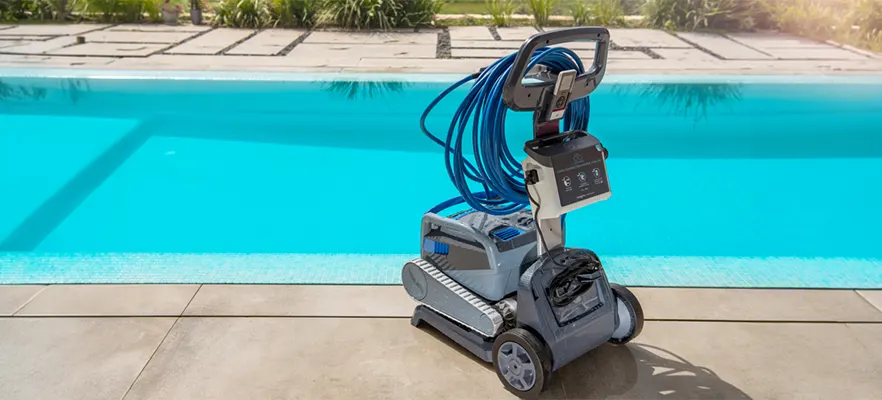
One of the easiest ways to protect your robotic pool cleaner cable is by using a dedicated storage caddy such as the Universal Dolphin Caddy.
The caddy helps organise the cable properly while keeping the cleaner and power supply safely stored together. According to Maytronics Australia, the caddy is designed for stress-free storage and simple cable management.
Using a storage caddy also helps to:
Prevent cable tangles
Reduce pressure on brushes and tracks
Keep the power supply elevated off the ground
Make transporting the cleaner easier
For additional protection, many pool owners use a caddy cover to shield the robotic pool cleaner and cable from dust, moisture, and UV exposure during winter.
Step 5: Store in the Right Location
Where you store your robotic pool cleaner matters just as much as how you store it.
Choose a cool, dry, shaded area away from direct sunlight, rain, and frost. Extreme temperatures can damage both the cable and the cleaner's electronic components.
Good storage locations include:
A garage
A pool shed
A covered outdoor storage area
A ventilated storage room
Avoid leaving the cable sitting directly on hot concrete or exposed outdoors for extended periods.
Step 6: Check the Pool Cleaner Cable Occasionally During Winter
Even while in storage, it is worth inspecting the robot cable every few weeks. Look for:
Twists or knots that have developed
Signs of cracking in the outer sheath
Sticky or brittle sections
Loose connections at either end
Pest damage
Catching small issues early can help avoid larger repair costs later on. Cable wear is one of the most common long-term maintenance issues reported for robotic pool cleaners.
Frequently Asked Questions
How do I stop my robotic pool cleaner cable from tangling? The most effective way to prevent tangling is to coil the cable loosely after each use, store it on a dedicated caddy, and allow the pool cleaner cable to lie flat in the sun for a short period to release any memory coils before recoiling.
Can I leave my pool cleaner cable outside over winter? It is not recommended. Prolonged exposure to UV, frost, and moisture can degrade the cable's outer coating and damage internal wiring. Store the cable in a cool, dry, shaded location such as a garage or pool shed.
How often should I replace my robotic pool cleaner cable? Cable lifespan varies depending on usage and storage conditions. Inspect the cable at the start and end of each pool season. If you notice cracking, brittleness, or connectivity issues, contact Maytronics Australia for replacement advice.
Does a Dolphin caddy make a difference for cable storage? Yes. The Universal Dolphin Caddy is specifically designed to hold the pool cleaner, cable, and power supply together in an organised way that minimises stress on the cable and prevents tangles during storage.
Should I disconnect my pool cleaner from the power supply before storage? Always disconnect the pool cleaner from the power supply before storage. Leaving it connected when not in use is unnecessary and may place strain on the components over time.
Don't Forget Your Other Pool Equipment
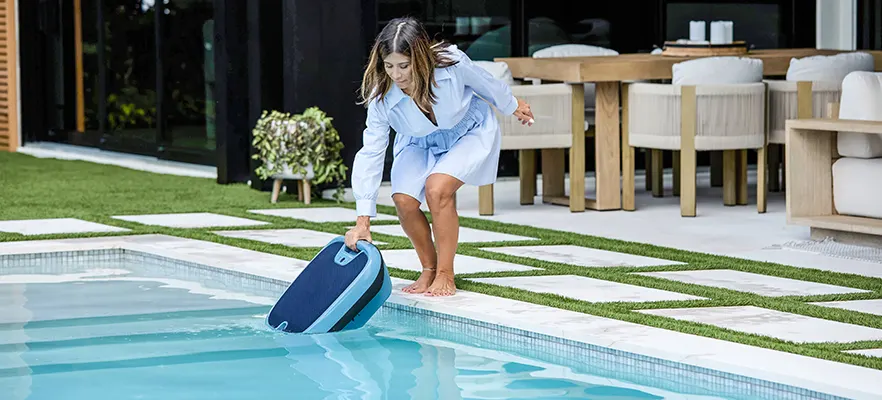
Winter is also the perfect time to service and organise your wider pool maintenance setup. Clean and store your:
Pool skimmer
Filter baskets
Pool brushes
Vacuum hoses
Water testing equipment
Keeping all pool maintenance equipment in good condition makes spring opening faster and easier.
Final Thoughts
A robotic pool cleaner is one of the best investments you can make for keeping your pool clean with minimal effort. However, proper winter storage plays a major role in protecting its performance and lifespan.
Taking a few extra minutes to clean, dry, and correctly coil the pool cleaner cable can prevent unnecessary wear, reduce tangles, and keep your pool cleaner running smoothly for years to come.
Whether you use a Dolphin robotic pool cleaner with a Universal Dolphin Caddy or simply store your equipment carefully in a dry location, good cable care now will save time and money when pool season returns.
For more information about Dolphin robotic pool cleaners and accessories, visit Maytronics Australia.
Pool Cleaner
pool vacuum
commercial pool cleaner
robotic pool cleaner